
Where Does the iPad 11th Generation Sit in the iPad Lineup?
I’ve had the opportunity to compare it against the M4 iPad Pro.

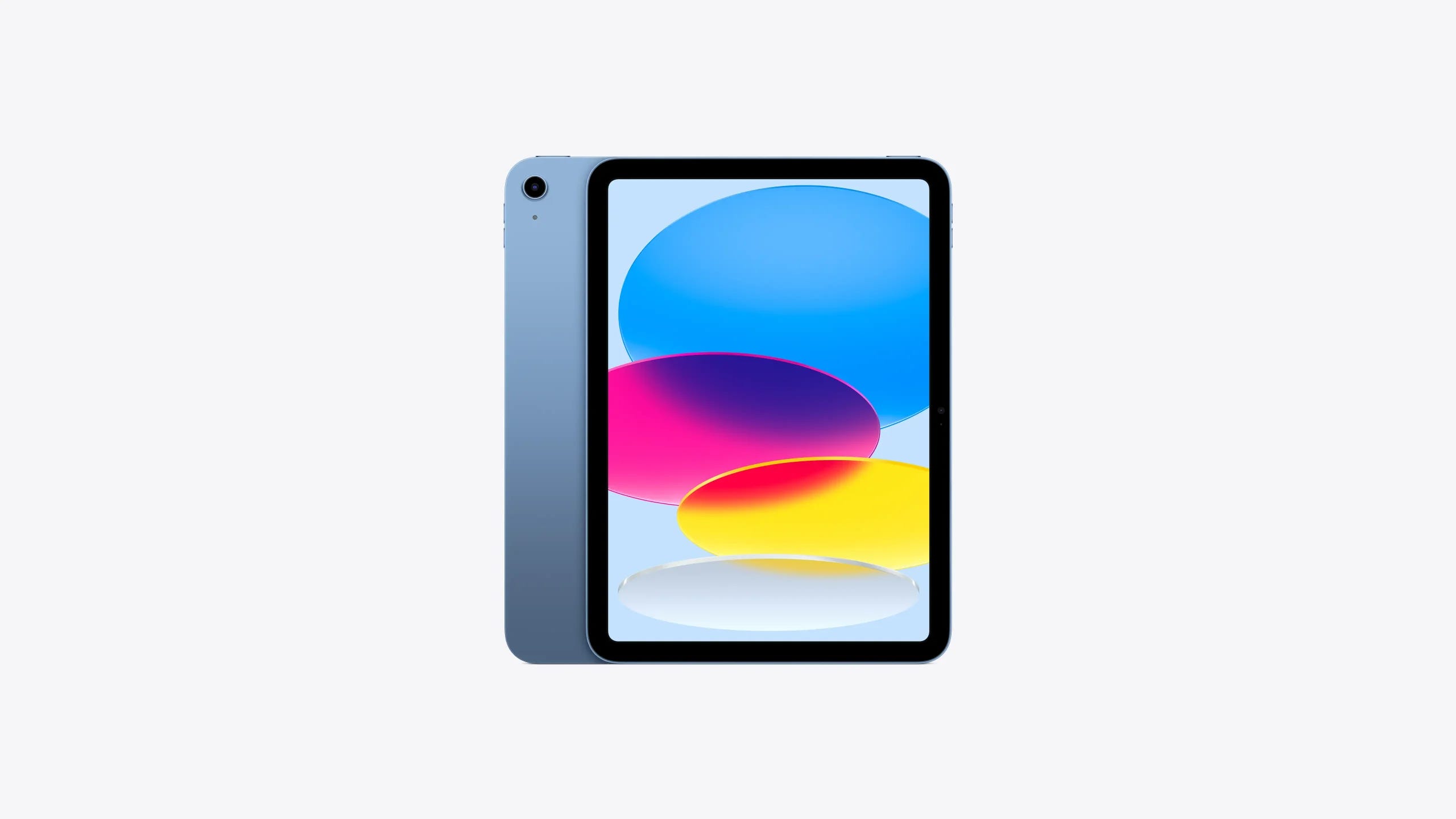
As I mentioned in a recent piece, I recently decided to upgrade from my OG 11” M1 iPad Pro to the 13” M4 iPad Pro. This upgrade has brought major improvements for my workflow. But through an unlikely twist of events, I also recently won a free iPad 11th Gen from a raffle! So this makes for a very interesting comparison. How does the iPad sitting at the very low end of Apple’s iPad product lineup stack up against the M4 13” iPad Pro sitting at the top of the lineup? I’ve tested it for a few weeks now, and here are some of my thoughts and impressions.
Value is the word.
The 11th Gen iPad is a great value for many. I’m actually very surprised by just how good of a value it is. For a tablet that regularly goes on sale for prices circling the $250-$270 range, it is an absolute steal. Of course, I didn’t pay for the model I’m reviewing, but after using and testing this iPad, I think it’s every bit worth the price tag, and I would have felt good about paying that much for it had I bought it myself. Even at the regular $350 resale price, it’s pretty hard to beat in terms of value for a new tablet in my opinion. However, as with just about everything, there are some caveats.
As a tablet, the iPad 11th Gen actually performs quite well. The A16 chip inside is not as powerful as the M-series chips found in the iPad Air and iPad Pro lineups, but it still is quite capable. Even heavier apps like Nomad Sculpt run great overall, though there are limits to 3D scene size and quality before it starts to take its toll on performance and cause the app to crash. The M4 iPad Pro can support larger 3D scenes due to the more powerful hardware on tap. But the iPad 11th Gen really surprised me with its performance in apps like Nomad; I wasn’t expecting as good of performance as I got out of it.
The iPad 11th Gen’s display quality is a step down from the M4 iPad Pro’s for a few obvious reasons. For one, the iPad Pro that I’m using has a larger 13” display. The larger display paired with the “More Space” scaling option proves very useful for app multi-windowing and productivity. Then there’s display quality. The iPad Pro uses a Tandem-OLED display, which provides great contrast and black-point in images. The iPad 11th Gen uses a laminated IPS display panel, meaning the display panel itself is recessed a bit more into the device, and the touch layer is actually a separate layer from the display panel. This is pretty standard for budget tablets, and it really doesn’t seem to negatively impact the display quality that much. I’d say the display quality isn’t really noticeably worse than an 11” iPad Air. So when comparing against the rest of the iPad lineup, while this model has the cheapest display on paper, the display quality is pretty good for being the low-cost entry-point option. It still is a nice quality display, and likely should be adequate for most users.
Sound quality isn’t particularly spectacular, but it is also far from terrible. I think it’s pretty much about in the middle, at least to my non-audiophile ears. I mostly end up using Bluetooth earbuds or speakers, so built-in sound quality isn’t as big of a deal for me anyways. I think the sound quality from an iPad Air is probably slightly better from my brief experiences with iPad Air display models, but not by much. But I believe the audio quality will be perfectly fine for most people, and if it isn’t, external speakers, headphones, etc., are also a simple solution.
Built-in storage seems to be more than enough for many users. The 128GB base storage matches the 128GB storage tier of the 11” M1 iPad Pro I used as my daily driver for about 4 years. I think it’s overall a good base storage tier for a budget tablet, and a major improvement over some previous base-spec iPads of past years that had less storage.
When it releases to the general public this fall, iPadOS 26 will make the iPad 11th Gen an even better buy. I installed the iPadOS 26 developer beta on the iPad first thing when I was setting it up (developer betas are more prone to bugs and potential issues, so this is not something I would generally advise most people to do unless you save backups of all your data and know how to troubleshoot and possibly restore your device if any errors do arise). With iPadOS 26, the iPad 11th Gen gains Mac-like multi-windowing just like the Air and Pro models, background tasks, the new Liquid Glass design, the Menu Bar, and many other improvements that really go a long way to elevate the value of the budget tablet even further. The multi-windowing experience is pretty good, I haven’t had any issues with multi-windowing causing performance issues, and the beta has been pretty stable. I have less space to spread out windows than on the 13” model, and the “More Space” display scaling option is absent on the iPad 11th Gen, meaning app windows use more of the iPad’s display real estate and can feel more cramped, but it’s still a solid experience, and I think it’s likely even enough for many people’s productivity needs, depending on their workflow.
How does it compare against the M4 iPad Pro?
While the iPad 11 is a great value, and a great budget option for many users, there are some downsides to it vs the M4 iPad Pro, and even the iPad Air lineup. These differences especially become more noticeable for power users. I’ll break down some of those differences here.
One of the most impactful differences for me is the iPad 11th Gen’s lack of external extended display support. Plugging it into an external display will display a mirrored instance of the iPad’s own display on the external display, and the aspect ratio matches that of the iPad’s, leaving blank space to either side on the monitor. While this can still be useful, it’s not as good as the extended display support offered on M-Series iPads in the iPad Air and iPad Pro lineup. If you’re someone who is using the iPad as your primary computer, or even as a secondary computer with docking at the desk in mind, then the iPad Air or iPad Pro would likely be a better option.
Another obvious difference that makes a major impact on my workflow is the display quality. As I noted earlier, the iPad 11th Gen’s display is very good for a budget tablet; it is by no means a bad display. But the M4 iPad Pro just delivers much higher display quality, which can be very useful for creative workflows. The M4 iPad Pro’s Tandem-OLED display delivers darker highlights, and higher crispness and contrast. As I noted in a previous piece, the M4 iPad Pro’s display is like a professional studio-grade display stuffed into a tablet.
There’s also the matter of display refresh rate. The iPad 11th Gen provides a moderate refresh rate of 60Hz. The M4 iPad Pro at the top of Apple’s tablet lineup provides a 120Hz refresh rate. Higher refresh rates can benefit certain use-cases like gaming, video editing, and can make UI animations feel a tad bit snappier, and produce less latency with the Apple Pencil. Personally, I think this is not going to make a huge difference for most people, unless you’re heavy into gaming on the iPad, or are doing some niche workflows, like editing high frame-rate video. The difference in latency on a 60Hz vs a 120Hz iPad is pretty negligible for average use-cases in my opinion, but it is certainly nice to have higher refresh rates, and the nicer spec isn’t without its benefits.
There’s also a difference in performance. The M4 chip in the iPad Pro offers significantly higher levels of performance than the A16 chip used in the iPad 11th Gen. For those pushing the limits of the iPad’s performance, the iPad 11th Gen is more likely to fall short. This is not to say that the performance is bad; it is a very capable iPad and can run the apps I use on a regular basis quite well for the most part. But I have noticed some notable differences in speed for some tasks (mostly 3D related), and attempting to open some of my larger 3D scenes in Nomad Sculpt will cause the app to crash and close. I often like to work with higher polygon counts for my initial sculpt or model, export that high-quality file, and then downscale the model for other uses, and so the M4 iPad Pro provides me more headroom for this. I suspect some of my higher-resolution 2D design projects would also produce similar results if I opened too many of them simultaneously in the Affinity apps, but I have not tested that yet.
Notably, also due to this chip and performance difference, the iPad 11th Gen doesn’t support Apple Intelligence. This is another difference that would cause major impacts to my workflow, and that gap will likely increase in the future as Apple rolls out more Apple Intelligence features. Already, as things stand, I find Apple Intelligence’s proofreading feature to be incredibly useful for highlighting grammar errors and providing grammar suggestions in my initial editing steps. I also find the Clean Up feature in Photos to be very useful for removing unwanted distractions in images. And Siri’s ChatGPT integration has been very useful for a number of projects, including my experiments with vibe coding. I’m excited to see more Apple Intelligence features come to the iPad. I think the more advanced Siri Shortcuts actions and Personal Context capabilities could prove to streamline and revolutionize some productivity workflows as they continue to improve. The latest rumors and comments from Apple executives indicate these features could be arriving in the Spring of next year, so I will be excited to see what comes in the coming months. For those who make extensive use of Apple Intelligence, this will be a major downside to the iPad 11th Gen vs the M4 iPad Pro.
And I also should mention the difference between TouchID and FaceID. TouchID on the iPad 11th Gen is perfectly fine. I don’t really have anything against it, and I haven’t had any issues with it in terms of reliability. But I find FaceID on the iPad Pro to be so much more convenient. One common use-case that sticks out to me is when I’m holding the iPad with one hand. With FaceID, I can simply look at my iPad to unlock it. With TouchID, I have to hold the tablet with one hand, while using the other to unlock it or authenticate for something like auto-entering a password. This isn’t necessarily a big deal in all cases, but it is a difference that takes some getting used to for someone who’s been using an iPad with FaceID for the past several years. This is overall more of a minor difference. I don’t think it will be the sole reason for or against buying an iPad for most people.
Conclusion
For many, I think the base model iPad is a great value and will provide the balance of performance and features that will suit their basic needs from a tablet. For power users, there are some major compromises that will likely tip them more towards an iPad Air or iPad Pro.
For my own personal use, I intend on keeping the iPad 11th Gen in addition to my M4 iPad Pro, as a companion secondary device. I’ve found it to be handy as a secondary portable reference display for my primary iPad for some workflows, and I am also experimenting with using it as a smart desk display. This way, I can normally use it to display my calendar, control my music playback, launch Siri Shortcuts, monitor smart home devices, etc. And with Universal Control on my Mac Mini, I can even use the same keyboard and mouse to control the iPad for those things! 👍🏻. And when I bring my primary iPad to my desk, I can also use the iPad 11th Gen as a third display in my setup. When I want to take my iPad 11th Gen with me as a portable secondary display to use with my iPad Pro, I can simply lift it from my desk and take it with me. I’m still experimenting with a number of widgets, Siri Shortcuts, and other software to enhance this experience, but so far I’m pretty pleased with how this is working out, and I intend to 3D print a better desk stand for the iPad. I will likely write more about these experiments in a future piece.
I think the iPad 11th Gen sits in an interesting position in Apple’s iPad lineup. It provides much of the core flexibility and utility on offer with the more expensive iPad models, while also providing a lower cost budget option for many. While it lacks some of the features and advantages of the more expensive iPads in Apple’s lineup, I think it provides a clear value at its low price point.