
iPadOS 19 Rumored to Make Several Productivity Enhancements
Major changes are likely coming!

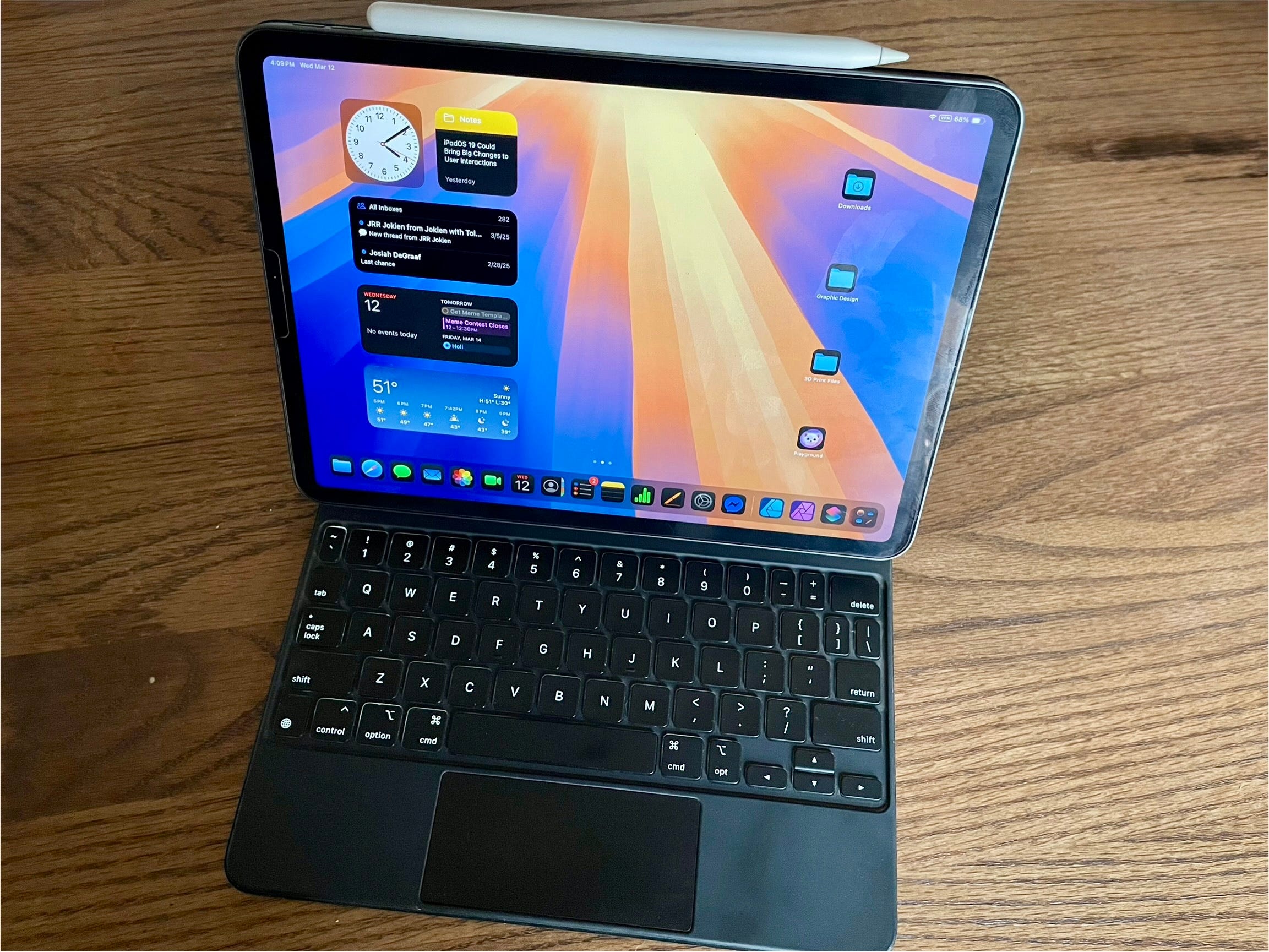
Recent rumors indicate that Apple is looking to add some more macOS-style features and productivity enhancements in iPadOS 19. The rumored changes include the addition of a Menu Bar to iPadOS, as well as improvements to Stage Manager, the iPad’s multi-windowing productivity-oriented interface. Coupled with previous rumors that iPadOS and macOS will both be getting a redesign that will bring them closer in terms of user experience, I think this latest set of rumors makes sense. We’ve heard rumors for the past couple years about a foldable iPad/Mac type device, and I believe the software that runs on it will likely be iPadOS or iPadOS adjacent due to its touch-oriented nature. These rumored changes would make such a device much more practical and natural to use. Other rumors from sources like Gurman speculate that iPadOS will be able to run macOS apps in around 2-3 years, which would also seem to add further credibility to a more unified experience between the two platforms.
While I’m excited about some of these rumored changes, I am also a bit nervous. I currently prefer the way that iPadOS handles a number of different things over macOS, and I hope we’ll see something that retains the best aspects of iPadOS. It’s iPadOS’s simplicity and “automagic” nature that makes iPadOS so great. I hope that Apple will retain a proper balance with this simplicity in mind as they consider incorporating more Mac-like interactions. I think, if done right, both platforms could stand to gain from more unification: iPadOS could gain more features and power-user functionality, and macOS could gain more simplicity in areas it would benefit from. I’m hoping Apple will incorporate all of the advances they’ve made with iPadOS into this new design language, primarily in regards to a few major design elements.
Menu Bar
This one is very interesting to me. I have been thinking about ways Apple might unify the iPad’s Status Bar and the Mac’s Menu Bar for a couple of years now. The Status Bar and Menu Bar are alreadysimilar in many ways: both show useful information like battery charge, WiFi connection status, day and time, privacy badge indicators for when things like screen recording, audio recording, etc. are in progress, FaceTime calls are active, etc. Both provide quick access to the Control Center and the Notification Center. These UI elements are in most ways more similar than they are different.
The most major distinction is the Menu Bar’s “File, Edit, View” menu that provides quick and consistent access to options for apps that are open. iPadOS does have a similar menu, but it is not associated with the Status Bar. Instead, a hold press of the Command key on an attached keyboard will surface a pop-up menu containing every keyboard shortcut available for the app, organized in the familiar “File, Edit, View” format.
Could Apple be looking to further converge the Status Bar and Menu Bar paradigms? I think it’s probable. Doing so would add greater consistency between the iPad and Mac, and the framework to build on for a Menu Bar type interface already exists in iPadOS with the keyboard commands menu. Such an interface would also have the added bonus of incentivizing more app developers to integrate more keyboard shortcuts into their apps for the iPad, something Apple has already been encouraging developers to do.
But how would a Menu Bar work on iPadOS? I’m guessing it would need more touch optimizations than the Mac’s Menu Bar, so would likely look and act a bit different, with the same overall concept.Perhaps it could be a type of hybrid between the Dynamic Island and the Menu Bar. You could normally have the Status Bar which is more screen efficient, and then a swipe down at the center top of the screen would surface a menu bar. And for those willing to give up some more screen real estate to keep it pinned open, perhaps a setting for Stage Manager could keep it pinned in place like the options that already exist for the App Dock and Recent Apps panel.I think now with two independent sources referencing the Menu Bar (Mark Gurman, and Majin Bu), this seems like a pretty likelychange to come with iPadOS 19, which has me excited for WWDC25!
Multi-windowing
Multi-windowing is another area where I prefer iPadOS’s implementation over macOS. While I like macOS, it is much harder to create a clean looking workspace than it is on iPadOS. App windows don’t automatically align on the center of the screen, oralign with the edges of other app windows on macOS, instead, they randomly drag wherever, and the size of app window you begin with for one app or another never seems to be consistent like it is on iPadOS with Center Stage. It’s just far less refined in my opinion. Of course, to those who are used to that setup, it probably doesn’t bother them as much, and they may prefer that way of doing things. But to me, trying to create a clean looking workspace feels like an uphill battle on macOS. The window tiling features introduced in macOS Sequoia somewhat help with this, but it still just doesn’t feel nearly as natural and fluid as it is on iPadOS.
What I would like to see is a setting for both that retains the iPad’s current Stage Manager behavior with kind of an invisible snap grid for app windows and expands this behavior as an option for macOS as well. Then those like me, who prefer window management to be a bit more automatic, can use that setting, and those who prefer more traditional “freeform” windowing can use a different setting. I’m hoping that Apple will retain these automatic aspects of the iPad’s multi-windowing system rather than shifting completely to the more cluttered traditional multi-windowing scheme of desktop OSes.
That’s not to say there’s nothing the iPad could learn from macOS’s multi-windowing system though. Perhaps Stage Manager could support more than four app windows within a stage like on macOS. And I would like to see iPadOS gain the window tiling options that Apple introduced last year on macOS Sequoia. Maybe iPadOS 19 could make it easier to add an additional window for an app, similar to the way it works on macOS, with a context menu option for “Add New Window” and a keyboard shortcut for the same.
I’d also like to see iPadOS keep Home Screen widgets visible while using Stage Manager, but grayed out in the background like on macOS. With the Home Screen and Desktop paradigms of iPadOS and macOS respectively becoming increasingly more unified, I think this makes a lot of sense.
External Monitor Improvements
It would also be nice to see some improvements to external monitor support. External display support mostly works great on iPadOS, and it allows me to dock my iPad to my desktop monitor when I want more screen real estate to work with. But there are a couple of minor downsides I run into with its current implementation.
The biggest downside I run into most often is the way external displays handle Control Center and Notification Center, or more accurately, the way they don’t handle those UI elements. You can click on either side of the Status Bar on an external monitor, but rather than surfacing the Control Center and Notification Center respectively on the external display, a click for these UI elements on the external display will confusingly surface these UI elements on the iPad’s display instead. It can be somewhat disruptive to workflow to have to look to the iPad’s display for Control Center or Notification Center rather than just seeing these elements on the external display. Hopefully the addition of a Menu Bar style UI element would solve this issue.
A “clamshell mode” could also be a useful addition. Such a modewould allow the iPad to drive external displays while the iPad’s own display is turned off. This could have a few different benefits. One would be an easier docking setup for some who would prefer to dock their iPad with the keyboard case closed. Another would be the potential to allow the latest iPad Pro to drive more than one external display. The M4 chip found in the latest iPad Pros can drive up to 3 displays. For the M4 MacBooks this means they can drive 2 external displays and the MacBook’s own built-in display simultaneously. The design of the iPad Pro’s display complicates this somewhat, since it uses a dual-layered display. I believe the iPad’s native Tandem OLED display actually taps into two of these display drivers. So this means that with the iPad’s display turned on, it can likely only support a single external display. But with the addition of a “clamshell mode”, the M4 iPad Pro could possibly drive 2 external displays simultaneously like the M4 MacBook Air models, which could be a major boon for those with multi-monitor desk setups. I don’t know, maybe there’s some technical hardware hurdle that would prevent that from being possible, but it could be interesting if it is.
Overall, improvements like this could make external display support more appealing for a wider range of users. For me, the current external display support is already mostly great, since I use a single desktop monitor and I prefer to keep the iPad’s display near me as a writing/drawing surface. But I think these improvements would go a long way to addressing some users’ complaints about iPadOS’s current external display support.
Wrap-Up
It will be interesting to see what changes iPadOS 19 may bring, and the ways Apple will further unify the design languages of iPadOS and macOS. It seems this year will be big for productivity-focused features in iPadOS. I’m hopeful to see Apple balance adding more Mac-like features while retaining the simplicity that makes the iPad as great as it is. Perhaps some of that simplicity will trickle over to the Mac as well.