
Google Web Apps on the iPad
How to replicate your Google-powered workflow from the Mac on the iPad

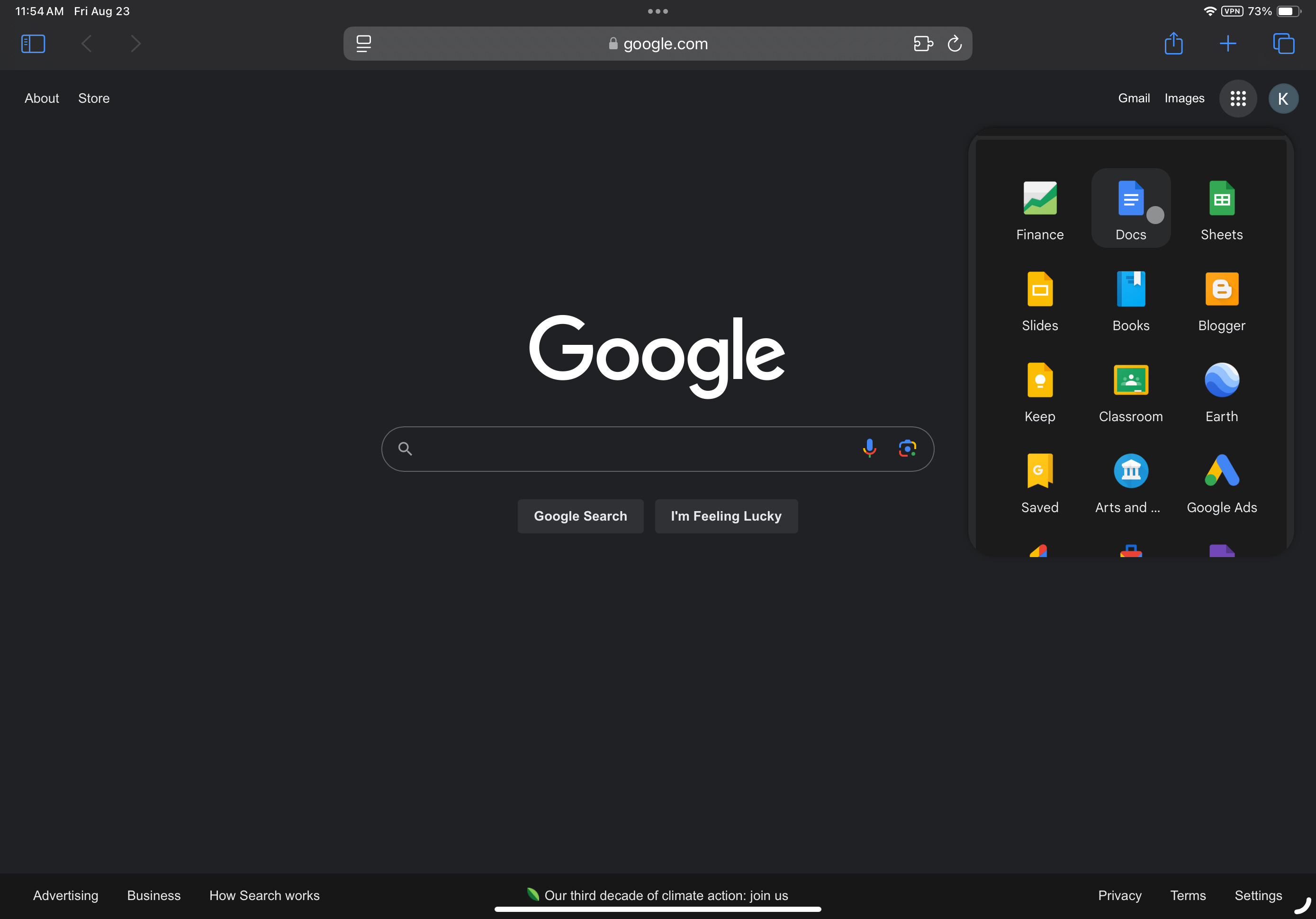
Lately, I have seen a number of people who are writing about the woes of moving their Google-heavy workflows over to the iPad, and central to a lot of these people’s troubles is trying to migrate their Google web app work (like Google Docs, Gmail, Google Sheets, etc.) from the Mac to the iPad. This is puzzling to me, because while I don’t normally use Google web apps for my workflow (I predominantly use Apple’s own Pages, Numbers, and Mail apps for my workflow), I have tried them out in the past, and I didn’t notice any difference. So why are people running into these issues on the iPad? After all, shouldn’t the web apps be the same across both platforms? I decided to investigate this issue further and try the Google web apps out for a few weeks to see if I could figure out the root cause so I can hopefully help some readers to avoid these same problems.
Why all the confusion?
On the Mac, Google apps like Docs, Sheets, etc., don’t have any native Mac version. Instead, they are accessed via a web browser such as Safari or Chrome. As web apps, they require an internet connection to function. These are the versions that most people are used to and familiar with on Mac and Windows PCs.
On the iPad, there are actually two options. You can do the exact same thing as on the Mac and access the Google web apps via a browser app like Safari or Chrome by going to the Google home page and selecting the “Google Apps” button, or you can also download a native version of these apps that’s available in the App Store. The web apps function exactly the same as they do on the Mac with the exact same user interface and tools. The native App Store versions, however, are an entirely different beast.
First, the user interface is in most cases entirely different. This makes switching between the web versions and these native versions very difficult. And there are several tools that are missing in the native versions of apps like Google Docs, which makes it even more difficult if you rely on some of these tools for your workflow.
Another peculiarity of the native versions of the Google apps is that if you try to use the web versions while you have already installed the native App Store version, Google redirects you to the native version of the app. For whatever reason, Google will not allow you to use the web versions while the native versions are installed.
So confusion arises from trying to use the native iPad versions from the App Store that Google recommends, and finding that the UI is completely different in many cases, and several important tools are strangely absent. This is an area where I would like to see Google improve their native apps. If these tools can be incorporated in a web app, why couldn’t they also be included in the native version? And at the very least, why is the UI so different in several cases? I see no reason why Google couldn’t incorporate more of the tools and UI of the web versions into the native versions. I guess maybe they’re just not as focused on it since it isn’t their platform?
Conclusion
If you’re attempting to move your workflow from a Mac to an iPad, I see absolutely no reason to recommend using the native versions of the Google apps over the web versions. The Mac uses the web versions anyways, so it is more consistent to continue to use the web versions on the iPad via the browser as well. And most importantly, the UI and toolset remain the same. The only advantage of the native apps as far as I can tell is working on documents offline. But this isn’t an option on the Mac with the web apps either, so presumably you’d probably already be used to needing an internet connection to work with the web apps anyways. In my opinion, the one plus side of working offline is probably not worth all of the issues that are encountered with the UI and tool changes. Of course, you could always try installing the native versions and trying them, and if you don’t like them as much as the web versions, you could just delete them and return to using the web versions.
I am by no means an expert on Google web apps. As I said earlier, I generally use Apple’s iWork suite for my office work. I’ve experimented with the Google web apps on and off over the years, but never really got into using them as my primary go-to. That said, I experimented with the web versions of Google Docs, Google Sheets, Google Calendar, and Gmail on both my iPad and my Mac for a few weeks to see if I could find any UI or feature differences between the two. Both are identical as far as I can tell. Both share the exact same UI and toolset. This makes sense since web apps aren’t usually designed for only some platforms and not others. If I missed anything, please let me know in the comments, but for now, if you’re looking to move a workflow heavily reliant on Google web apps, then I would highly recommend that you consider completely ignoring the native iPad versions of the Google apps.