
Custom Workspaces Automation with iPadOS 27
How iPadOS 27’s new Shortcuts actions enabled me to create a custom automated workspace shortcut.

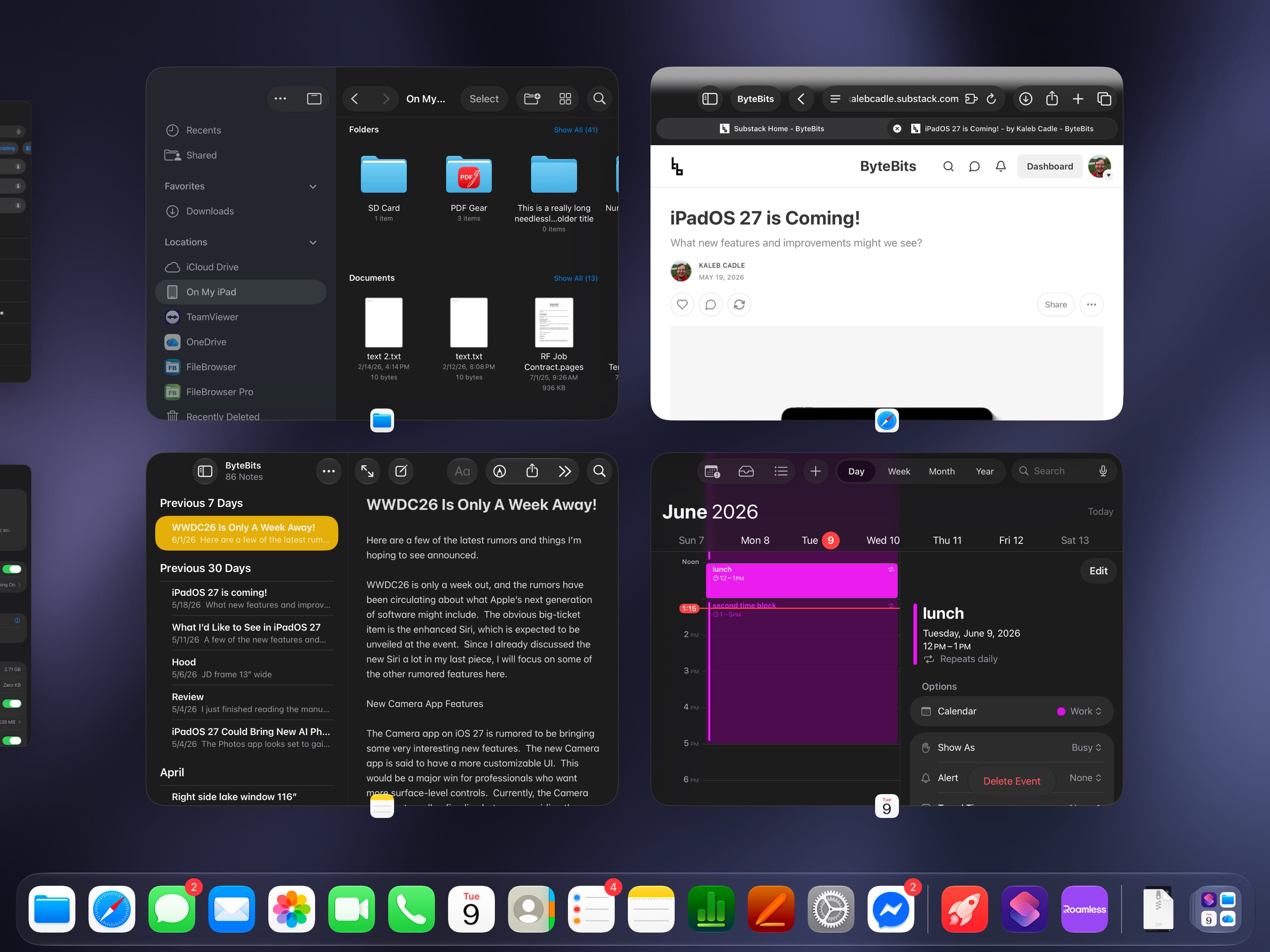
One of the new features I’m most excited about with iPadOS 27 is the new Shortcuts app. Not only does it make the process of creating shortcuts much simpler and more accessible, it also unlocks a whole slew of new actions with more flexibility which allows for more capable shortcuts. One such shortcut I created to test the new Shortcuts app in iPadOS 27 is an automation to open a “stage” in Stage Manager with a pre-defined set of apps for a specific task. This wasn’t possible in prior versions of iPadOS beyond a two-way split view, so I expected it wouldn’t be able to create the shortcut. But to my surprise, it actually worked!
I called this shortcut “Custom Workspace” and refined it for a simpler setup process. When you first download it, it will ask you which apps you want in the top leading, top trailing, bottom leading, and bottom trailing positions. Once you’ve selected these, it will remember them, and open those apps whenever you run the shortcut. And if you duplicate the shortcut in Shortcuts, you can create several different custom workspaces just by editing the “Open App” actions in the Shortcut. You can further differentiate these custom workspaces by renaming them and adding custom icons. And if you really want to tweak this Shortcut, you can create many other window configurations and add more (or less) than 4 apps if needed, since Stage Manager supports more than 4 apps per stage in iPadOS 26 and newer.
The beauty of this is Shortcuts can be launched from the Control Center, so these can be stored in a quick to access spot anywhere in the system. They can also be pinned to the App Dock or Home Screen. If you find yourself needing the same set of apps often for specific tasks, then this could be very useful.
Note that this Shortcut sadly is incompatible with iPadOS 26 as it heavily relies on new shortcut actions, so those not running the betas will need to wait for the public release of iPadOS 27 when it drops later this year.
You can download the Shortcut from the iCloud link below:
https://www.icloud.com/shortcuts/73de864ebd24457296139c763b59041a